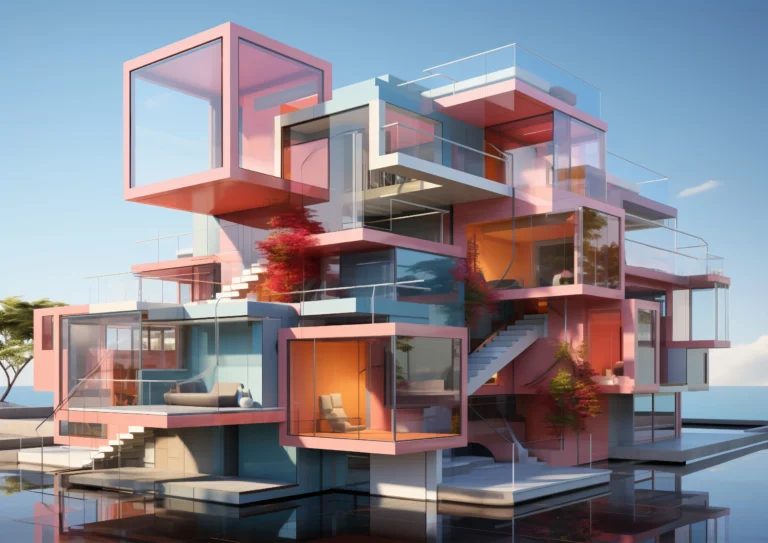
Rendering techniques are imperative to creating rich, photorealistic images that capture a design idea. It provides architects, designers, and real estate developers with the time and space to illustrate design ideas with confidence and clarity before building even begins. As technology develops, rendering is now faster and more accurate than ever. The visualization content has also changed, from establishing light, materials, camera shots, and the environment – all the elements make a part of an architect’s toolkit to create the best-quality architectural visualizations. The rendering process allows designs to not only illustrate and show the technical viability of the project, but they also convey engagement, dynamic delivery to the client, and functionality to the stakeholder.
Top 3D Design Tools in Architectural Visualization
3D design tools and programs are the backbone of the architectural visualization workflow. They allow designers to accurately model buildings, render materials in a realistic way, and render a detailed scene. These tools are able to create design concepts and to produce a high-level photorealistic architecture rendering, all while being able to increase the speed and accuracy of the modeling and rendering process.
- Autodesk 3ds Max- The best software for high-level modeling, texturing, and photorealistic rendering.
- Blender- An open-source software with powerful rendering engines that supports designer flexibility/knowledge.
Each tool increases speed, creativity, and details and helps designers present embellished architectural work.
Why 3D Design Tools Are Essential for Architectural Visualization
3D design tools significantly improve architectural visualization by offering precision modeling, real-time previews, and customizable rendering features. They help creators explore ideas, experiment with lighting and materials, and produce photorealistic architecture rendering that aligns with real-world conditions.
| Tool | Key Strength | Best For |
| Revit | BIM capabilities | Construction, planning & detailed documentation |
| Lumion | Real-time rendering | Fast, photorealistic visuals and animation |
| Rhino | Precision NURBS modeling | Complex architectural geometry and design |
These tools collectively boost productivity and help deliver visually refined architectural presentations.
Creating Better Designs with Photorealistic Architecture Rendering
Photorealistic architecture rendering improves design clarity by replicating real-world lighting, materials, and environments. It helps clients visualize a project’s appearance before construction, reducing misunderstandings and enabling faster approvals. This technology also enhances marketing efforts by producing eye-catching, lifelike visuals.
Enhancing Workflow Efficiency with Advanced Architectural Visualization
Advanced architectural visualization techniques streamline the design process by automating repetitive tasks, allowing quick scene adjustments, and supporting real-time collaboration. These improvements help architects complete projects faster, minimize revisions, and produce impressive architectural presentations efficiently.
1. Mastering Lighting Techniques
Lighting is one of the most influential architectural rendering techniques. Proper illumination brings depth, emotion, and realism to a scene. Using global illumination, HDRI lighting, and soft shadows enhances both realism and mood, helping architects present visually accurate environments that resemble real-world scenarios.
2. Applying Realistic Materials and Textures
High-quality materials and textures are essential for producing believable architectural visualizations. Designers use PBR materials, displacement maps, and roughness controls to accurately represent surfaces such as wood, glass, concrete, and metal. Realistic textures greatly improve the authenticity and detail of the final render.
3. Using Real-Time Rendering Tools
Real-time rendering tools like Twinmotion, Lumion, and Unreal Engine have revolutionized architectural visualization. These platforms allow instant previews of lighting, materials, and environmental effects. They speed up decision-making, enhance client engagement, and make the rendering workflow more interactive and efficient.
4. Building Environment and Context Elements
Context elements such as surroundings, vegetation, human figures, and furniture enrich architectural scenes. They help clients understand how a design fits into its environment and improve emotional engagement. Adding realistic context also enhances scale perception and overall visual storytelling.
5. Camera Composition and Framing Techniques
Camera angles and framing play a major role in architectural rendering. Proper composition highlights important architectural features and guides viewers’ attention. Techniques such as the rule of thirds, wide-angle shots, and depth-of-field effects contribute to visually appealing and impactful renders.
6. Post-Processing for Final Polishing
Post-processing enhances final renders by adjusting color balance, contrast, sharpness, and atmospheric effects. Using tools like Photoshop or Lightroom helps improve clarity and mood while removing imperfections. This final step turns good renders into professional-grade visualizations.
Frequently Asked Questions

CEO & MD
The CEO and Managing Director at Vizent Solutions, Bigyan Kar, leads a team of talented technology professionals who excel in the development and implementation of next-generation 3D visualization solutions for the following areas: gaming, architecture, AR/VR, CAD, and interactive simulations. Through his knowledge of digital design and technology, as well as his commitment to providing the highest level of immersive, accurate, and reliable 3D experiences for its clients, Vizent is constantly innovating and pushing the boundaries of the 3D modeling and visual storytelling industries.