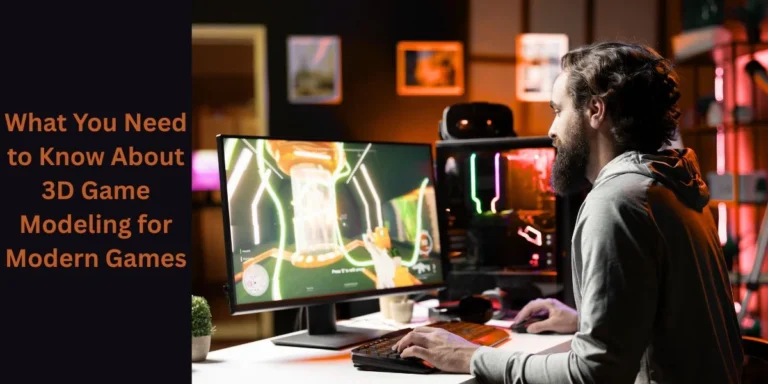
Understanding 3D Modeling for Games and Its Core Role
Game development today relies heavily on 3D modeling for everything from characters to environments, vehicles, and interactive items. High-quality 3D models can provide the realism necessary for players to be immersed in their experiences, regardless of whether the project is an independent mobile game or a AAA console title. Knowing how to model a 3D object will help game makers, game designers, and game studios develop optimized assets that provide an equal aesthetic and functional use across varying game engines/platforms.
The Complete 3D Game Modeling Process Explained
Modeling 3D games involves several steps to create objects usable in video gaming as well as visually attractive to see. The purpose of all stages of the modeling process is to create models that are optimized for use with game engines like Unity or Unreal Engine.
- Gathering concepts and references for artwork
- Creating both high and low resolution models
- Mapping out textures using a procedure called UV mapping
- Integrating models into an engine after making any necessary adjustments or optimizations.
Concept Art and Visualization Priorities
Concept Art is one of the keys to creating a 3D Model of the Game. Prior to the 3D modeling, artists must create concept art that indicates shape, proportion, materials and style. Having concept art, or a visual plan, minimizes the amount of 3D modeling revisions, keeps consistent with the design of the game, and gives the game assets a narrative and artistic direction that is consistent to the game.
High Poly / Low Poly
High-poly 3D modeling creates a high amount of details for a 3D model while low-poly creates 3D models that work for real-time use. The transition from high poly to low poly is the key element in the 3D modeling of games as it provides a balance between visual quality and sufficient frame rates across gaming platforms.
UV Mapping/Texture Mapping Workflows
The process of creating a UV map for a 3D model is to create a 2D layout for the textures used on the 3D model. If the UVs are created correctly, the textures will be used at the maximum resolution and will not be distorted when added to the 3D model. Texture mapping is the process of adding colours, surfaces, and materials to the 3D Models, bringing them to life without increasing the polygon count.
Optimisation + Game Engine Integration
After all game asset creation is complete, game assets are optimized for game engines. This process consists of creating a LOD, reducing the number of polygons and creating shaders. Having everything optimized allows for Game assets to work with Unity or any other game platform, providing a good gameplay experience.
Creating Game Assets for Characters and Items.
Creating game assets is about creating optimized and reusable models to fill the virtual world of your video game; the asset has to function in alignment with the performance, appearance, and gameplay of the game.
The following are categories of game assets created:
Character Modeling
Creating a character model for a video game is one of the most complicated elements of the 3D video game art pipeline because the artist has to balance human anatomy, noticeable style choices and performance of the character model. The model created is intended for rigging and animation for smooth movement of the character while in-game.
Props and Interactive Items
Props and interactive items may include: weapons, furniture, motor vehicles, and environmental items. The use of prop and interactive items enhances realism and enhances players’ interaction within the environment. The creation of efficient prop models will also enable the ability to load them quickly for better performance (E.g. so designers are able to populate the environment without adding to the load times).
The Creation of Modular Assets
Modular asset creation entails creating assets designed to be used in a variety of different ways, thus allowing compounding of assets for quicker development, less memory usage, and uniformity of appearance in the game levels, particularly in open world or large-scale games.
Creating Platform-Specific Optimized Assets
Different types of platform (e.g. Mobile vs. PC/Console) will have different asset loading standards; mobile video games require ultra-optimized models, whereas PC and console can have models with much higher levels of detail. Thus, effective 3D video game modeling will revolve around how to design assets to work within the platform’s limitations, while still allowing for high-quality building blocks for the game levels.
Common Challenges in 3D Game Modeling Projects
Despite advanced tools, 3D game modeling presents technical and creative challenges that require careful planning and experience.
- Performance optimization issues
- Style consistency across assets
- Engine limitations
- Tight production deadlines
Balancing Quality and Performance
High-detail models can impact performance if not optimized. Artists must balance visual fidelity with polygon budgets to ensure smooth gameplay across devices.
Maintaining Visual Consistency
Large teams often work on multiple assets simultaneously. Maintaining consistent scale, style, and materials is essential for a cohesive game world.
Adapting to Engine Constraints
Each game engine has limitations. Understanding these constraints helps artists design assets that perform efficiently without technical issues.
Managing Time and Resources
Game development timelines are often tight. Efficient 3D modeling processes and reusable assets help studios deliver high-quality games on schedule.
Frequently Asked Questions

CEO & MD
The CEO and Managing Director at Vizent Solutions, Bigyan Kar, leads a team of talented technology professionals who excel in the development and implementation of next-generation 3D visualization solutions for the following areas: gaming, architecture, AR/VR, CAD, and interactive simulations. Through his knowledge of digital design and technology, as well as his commitment to providing the highest level of immersive, accurate, and reliable 3D experiences for its clients, Vizent is constantly innovating and pushing the boundaries of the 3D modeling and visual storytelling industries.